Most people organize their medical records once, in a burst of motivation — a new binder, color-coded tabs, a folder of scans — and then it quietly falls apart. Six months later there’s a fresh pile on the counter and the system is already out of date.
The problem usually isn’t the system. It’s that the system was built to store records, when the actual goal is to use them — at an appointment, in an emergency, when a specialist asks “what have you tried?” A pile that’s perfectly filed but useless in the exam room hasn’t solved anything.
This guide builds the smallest system that survives real life, across paper and digital, and ends where it should: a single page you can actually hand to a doctor. I build a tool that produces that page automatically, so I’ll flag where software helps — but everything here works by hand.
Start with the goal, not the filing
Before you touch a single document, decide what “done” looks like. You need three things to be true:
- In an emergency, someone can find your conditions, medications, and allergies in under a minute.
- At an appointment, you can hand a doctor a current, one-page picture of your history.
- When you need proof — a specific lab result, an imaging report, a vaccination record — you can locate the original without digging through everything.
Notice that only the third goal is about storage. The first two are about a summary. Keep that in mind, because it changes how you build the system: the front page matters more than the archive behind it.
The three-tier model: active, archive, toss
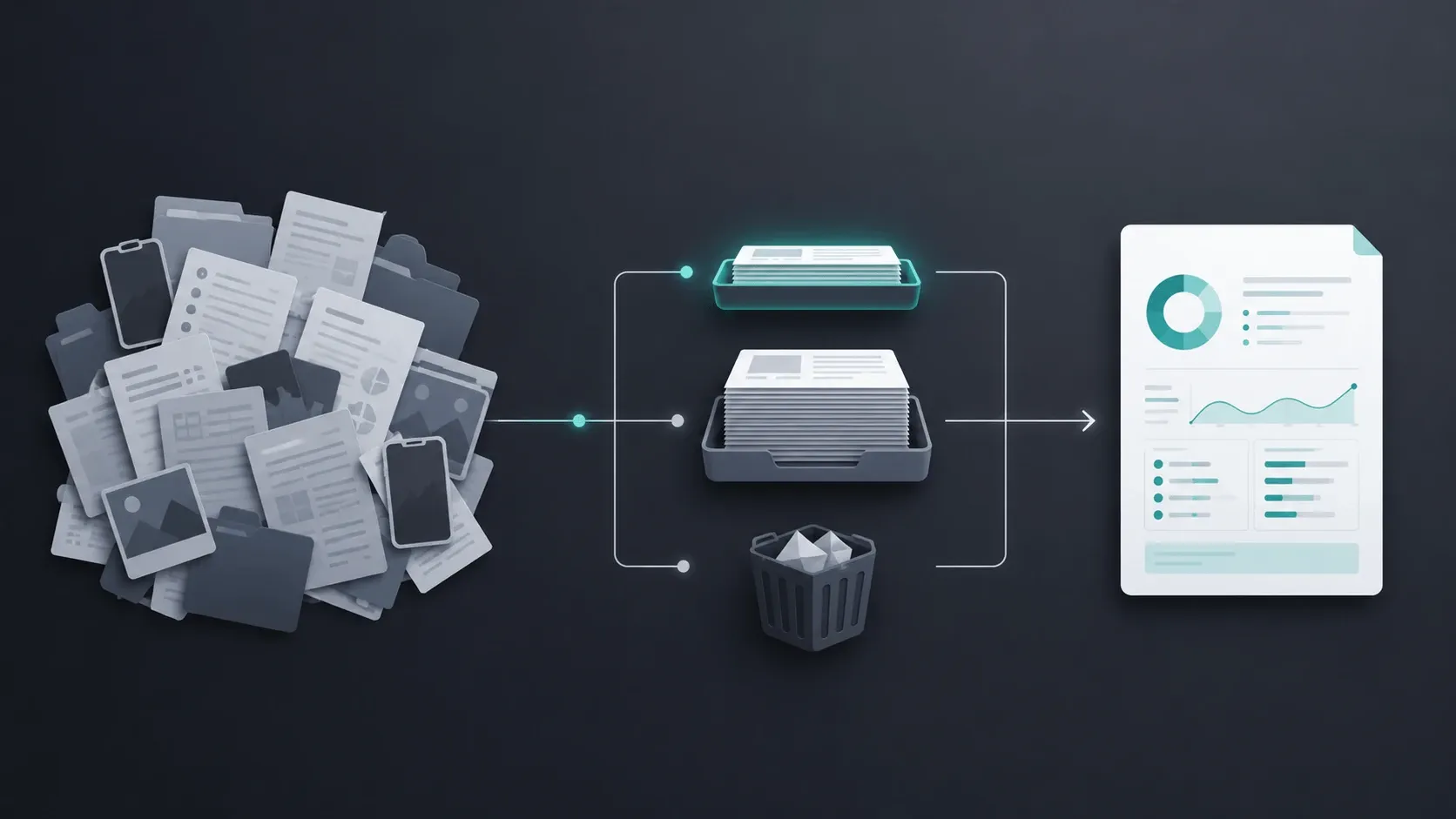
The mistake in most filing systems is treating every document as equally important. It isn’t. Sort everything you have into three tiers, and the whole job gets smaller.
Active — what a doctor might need now: your current medication list, active diagnoses, allergies, recent lab results (last year or so), current specialists’ latest notes, insurance info. This is the only tier you touch regularly, and it should be thin.
Archive — everything that matters but rarely: old discharge summaries, past imaging, resolved conditions, records from years ago. Store it well, but out of the way. You’re keeping it for the one day a doctor asks; it doesn’t need to be in front of you.
Toss — duplicates, outdated insurance cards, appointment reminders, marketing from providers, superseded medication lists. Shred anything with personal health details; recycle the rest. Most people can throw away a third of their pile immediately.
Do this sort once, physically, before you build anything digital. It’s faster to sort paper on a table than files on a screen, and it tells you how big your real system needs to be.
Building the paper side: one thin go-binder
You don’t need to keep everything on paper — most of it should be scanned and archived digitally. What paper is good at is the appointment itself: a binder you grab on the way out the door.
Build one thin three-ring binder — the “go-binder” — with only your active tier, behind a few tabs:
- Summary (front, most important): a one-page overview of your history — reason for recent visits, active conditions, current medications with doses, allergies, past surgeries, relevant family history. This is the page a doctor actually reads.
- Medications — current list, plus doses and start dates.
- Recent results — labs and imaging from the last year, newest in front.
- Specialists — the latest note from each doctor you currently see.
- Admin — insurance card copy, ID, emergency contacts, advance directives if you have them.
That’s the whole binder. Everything else — the years of history — lives in your digital archive, not in a binder so fat you dread opening it. If you’re caring for a parent or child, build one thin go-binder per person; don’t merge them.
Building the digital side: scan, name, and stop
The digital side is your archive and your backup. Two habits make it work, and nothing else really matters.
Scan everything worth keeping. Your phone is a scanner — most camera and Notes apps have a document-scan mode that flattens and sharpens a page into a PDF. And don’t forget the records you already have as photos: most of us have a camera roll full of lab results and prescriptions. Search your photos for “document” and you’ll find more than you expect.
Use one naming convention and never deviate. This single habit is the difference between a searchable archive and a junk drawer. Use:
YYYY-MM-DD_provider_type.pdfFor example: 2026-06-14_DrJones_labresults.pdf. Dates first means files sort chronologically on their own; consistent wording means you can search “labresults” and find every one. Pick the format now and use it forever — the exact format matters far less than never breaking it.
Then a shallow folder structure — by year, or by person if it’s a family — and a secure backup (cloud storage with a strong, unique password and two-factor authentication, since this is your health data). Resist the urge to build fifteen nested subfolders. Deep folders are where organizing goes to die; search does the finding, the naming convention makes search work.
The habit that keeps it alive
Every filing system decays at the same point: the gap between getting a new document and putting it away. Close that gap and the system survives; leave it open and you’re back to a pile.
The fix is a two-minute habit, done before you get home: in the parking lot after an appointment, scan the after-visit summary, any new prescription, and any lab order with your phone, name the files, and drop them in the archive. Update your one-page summary if anything changed — a new medication, a new diagnosis, a dose change. Two minutes while it’s fresh beats an hour of reconstruction next year.
If that habit doesn’t stick — and honestly, for most people it doesn’t — that’s the specific problem MyMedica automates: add each document as you get it, and it keeps the one-page summary current for you, so the “front page” never goes stale even when your discipline does.
Keep the front page usable, not just filed
Come back to where we started. A well-organized archive is worth building, but the payoff is the page on top of it — the summary a doctor reads in 30 seconds, the list an ER can act on immediately.
Write that page by hand from your active tier — our step-by-step guide to summarizing your medical history walks through exactly what goes on it and in what order, and the free medical history template gives you the blank structure to fill in. Or, if your history lives across PDFs, scans, and phone photos and you’d rather not assemble it by hand, MyMedica builds that one page from your documents directly.
Either way, the rule is the same: organizing is the means, a usable summary is the end.
Frequently Asked Questions
How long should I keep medical records?
Keep active and archive records indefinitely if you can — old history has a way of becoming relevant. If space is tight, keep everything digitally (it costs nothing) and only thin the paper: shred duplicates and outdated admin, but never shred the only copy of a result or report before you’ve scanned it.
Paper or digital — which is better?
Both, for different jobs. Digital is your searchable archive and backup; a thin paper go-binder is what you actually carry to an appointment. A hybrid system beats either one alone, especially if you’re caring for a family member.
What's the best way to organize records for a parent I'm caring for?
Same three-tier model, but one system per person — don’t merge a parent’s records with your own. Build them a thin go-binder for appointments, keep a digital archive with the naming convention, and make sure their one-page summary lists current medications and allergies, since as a caregiver you’ll be asked for those constantly.
Do I need an app, or is a folder enough?
A folder with a strict naming convention is genuinely enough for storage. An app helps most with the part folders can’t do — turning the pile into a current one-page summary. If your history is simple, a folder plus a hand-written summary works fine; if it’s scattered across formats, that’s where a tool earns its place.
How do I organize old records I've let pile up?
Don’t try to file the backlog perfectly. Sort it once into active / archive / toss, scan the active and archive tiers with your phone using the naming convention, and shred the toss pile. A rough, searchable archive beats a perfect one you never finish.
The 30-second version
Sort everything into active / archive / toss. Keep a thin paper go-binder with only the active tier, front page first. Scan the rest to a digital archive using one naming convention — YYYY-MM-DD_provider_type.pdf — with a secure backup, and don’t over-nest folders. Close the gap after every visit with a two-minute scan-and-file habit. And remember the point isn’t the archive — it’s the one-page summary on top of it, which you can write by hand or let MyMedica build from your documents.
This article is for informational purposes only and isn’t medical advice. However you store your records, the medical decisions are always yours to make with your doctor.