Seeing a new doctor means starting over. They don’t know that your fatigue began two years before the diagnosis, or that you already tried the medication they’re about to suggest. Everything they’ll know about you in the next 15 minutes is what you manage to tell them — while flipping through phone photos of lab results, trying to remember what year the surgery was.
There’s a better way to spend those 15 minutes. I build a tool that turns medical documents into one-page summaries for doctors, and this guide is the manual version of what I’ve learned: how to compress years of history into a single page a physician can absorb in 30 seconds.
Why One Page Beats the Full Folder
It feels responsible to bring everything — the binder, the discharge summaries, the folder of PDFs. But a new doctor with 15–20 minutes can’t read 40 pages, so they do what anyone would: they skim, ask you to narrate, and hope nothing important is buried on page 31.
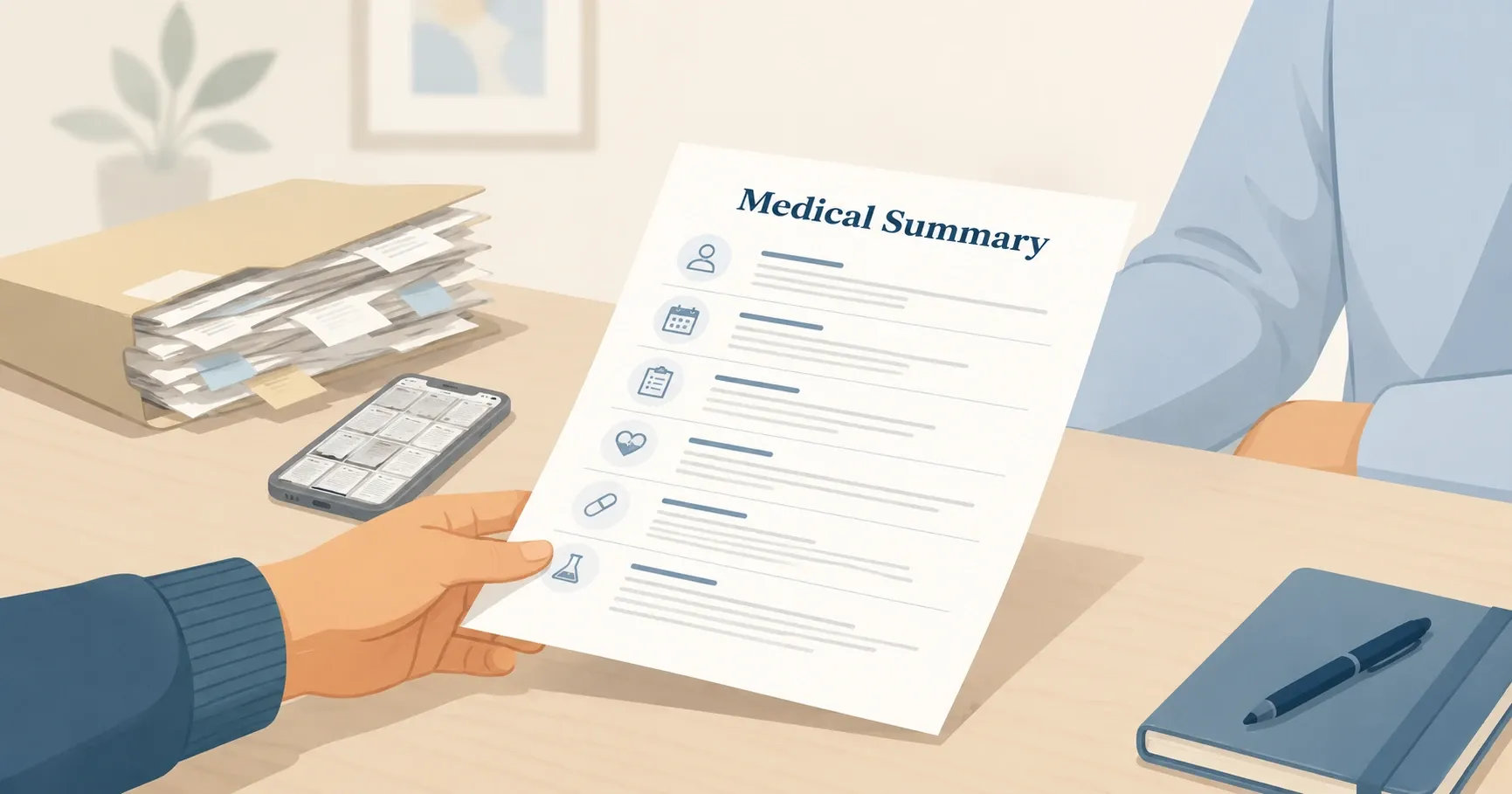
A one-page summary flips this. Doctors are trained to take histories in a specific structure, and when your page follows that structure, they read it the way you read a familiar form — in seconds. The appointment starts at “I see you’ve had this for three years, and X didn’t help” instead of “so, tell me everything.”
The full records still matter. But they’re the appendix, not the opening page.
Step 1: Gather Your Records (Without Drowning)
Start from memory, not from the pile. Write down what you know: your conditions, medications, surgeries, allergies. Most people can reconstruct 80% of their history in twenty minutes.
Then verify the rest against what you have:
- Patient portals (MyChart and similar) — diagnoses, visit notes, and test results, often with exact dates. Most portals let you download records as PDFs.
- The photos on your phone. Most of us have a camera roll full of lab results and prescriptions. Search your photos for “document” — you’ll be surprised.
- Pharmacy records — your pharmacy can print your medication history, which beats memory for names and doses.
- Old referral letters and discharge summaries — these are already summaries, written by doctors. Steal their wording.
Don’t aim for a complete archive before you start writing. “Appendectomy, around 2008” is enough; a missing date is not a reason to stall.
Step 2: What Goes in the Summary — and in What Order
Order matters more than people think. This is roughly the sequence doctors are trained to take a history in, so a page organized this way reads instantly:
Why you’re here
One or two lines: the problem, when it started, what’s been tried. If it’s just a routine first visit, say that.
Active conditions
What you’re currently diagnosed with and treated for, each with the year of diagnosis. One line per condition.
Current medications
Name, dose, frequency — including over-the-counter drugs and supplements. This is the section doctors check first, so make it exact.
Allergies and reactions
The allergen and what actually happened. “Penicillin — rash” and “penicillin — anaphylaxis” are different worlds.
Surgeries and hospitalizations
One line each, with years. Include complications if there were any.
Family history
Only the conditions that matter for risk: heart disease, cancer, diabetes, stroke in parents, siblings, grandparents — with age of onset if known.
For a fill-in-the-blank version of exactly this structure, grab our free medical history template — it comes as a PDF and an editable doc, no email required.
Writing this by hand is one honest evening of work. If your history lives in a folder of PDFs, scans, and phone photos, MyMedica does this step for you: upload the documents, and it assembles the one-page summary itself.
Example: A Finished One-Page Summary
Here’s what a completed summary looks like (illustrative, not a real patient):
Medical Summary — J.D., born 1985. Updated June 2026.
Reason for visit: Recurring abdominal pain since early 2024. Endoscopy 2024 — gastritis, H. pylori treated. Symptoms partially returned late 2025.
Active conditions: Chronic gastritis (2024) · Hypothyroidism (2019) · Seasonal allergies
Medications: Levothyroxine 75 mcg, 1× daily (thyroid) · Omeprazole 20 mg, as needed · Vitamin D 2000 IU daily
Allergies: Amoxicillin — hives · Pollen — rhinitis
Surgeries: Appendectomy (2008) · Wisdom teeth extraction, general anesthesia, no complications (2015)
Family history: Father — type 2 diabetes (onset ~50) · Grandmother — breast cancer (onset ~60)
Ten lines. A doctor reads this in half a minute and already knows what to ask next. That’s the entire goal.
Step 3: Cut It Down to One Page
If your first draft runs long — normal for anyone with a complex history — compress rather than delete:
- One line per item. Not a paragraph per diagnosis. “Migraine since 2018, on sumatriptan, ~2×/month” is a complete line.
- Results over process. “Colonoscopy 2025 — normal” instead of three lines about the referral and the prep.
- Spin off the biggest topic. If one condition dominates — years of treatments and specialists — give it its own half-page timeline and keep a single line in the main summary pointing to it.
- Trim family history hardest. It matters, but it’s the section doctors need the least detail in.
What stays are the things that change decisions: diagnoses, drugs, doses, reactions, dates.
Step 4: Using It at the Appointment
Bring two printed copies. One goes to the front desk so it can be scanned into your chart; one stays with you.
Don’t hand it over as a substitute for talking. Start with why you’re here in a sentence or two, then offer the page: “I put together a one-page summary of my history — it might be faster than me retelling it.” Doctors deal with information overload all day; almost all of them are visibly relieved to get a page instead of a monologue.
Then stay in the conversation. The summary answers the background questions — you’re there for the ones that come after.
How to Keep Track of Your Medical History Going Forward
The first summary is the hard one. Keeping track of your medical history after that takes minutes, if you build two small habits:
- Update after every event — new diagnosis, medication change, procedure. Two minutes while it’s fresh beats an hour of reconstruction a year later.
- Keep one living copy — a doc on your phone or computer that you edit, not a stack of printed versions. Print fresh before each appointment, and add an “updated” date so doctors know it’s current.
If updating by hand doesn’t stick — it doesn’t for most people — that’s the part MyMedica automates: add each new document as you get it, and the one-page summary stays current on its own.
Frequently Asked Questions
What if I don't remember exact dates?
Use years, or even ranges — “around 2015” is genuinely useful, an empty field is not. Doctors work with approximate timelines all the time; precision matters for medications and doses, much less for history.
Should I include mental health conditions?
Include diagnoses and medications, yes — antidepressants, for example, interact with many common drugs, and your doctor needs to know. How much backstory to include is your call; the summary can stay factual: condition, year, current treatment.
How many years back should the summary go?
All of it — but compressed. Recent and active items get detail; older ones get a line. A childhood asthma diagnosis is one line, but it belongs there.
Is a digital summary okay, or should it be printed?
Both. Print wins at the front desk and in the exam room; a digital copy on your phone means you’re never caught without it — including in an emergency.
What's the difference between this and a medical history form?
A form is the blank structure; the summary is what you produce with it. If you want the blank structure, start with our free template — it has the one-page summary as page one.
The 30-second version
Gather from memory first, verify with your records. Follow the order doctors think in: reason for visit, active conditions, medications, allergies, surgeries, family history. One line per item, one page total, two printed copies, update as you go.
Or skip the manual work: upload your documents to MyMedica and it builds the summary for you — one clean page your doctor can read in the time it takes to shake hands.
This article is for informational purposes only and isn’t medical advice. A summary helps your doctor see your story — the medical decisions are always theirs to make with you, in person.